


OpenClaw Security: Managing Agent Risk, Permissions, and Enterprise Access

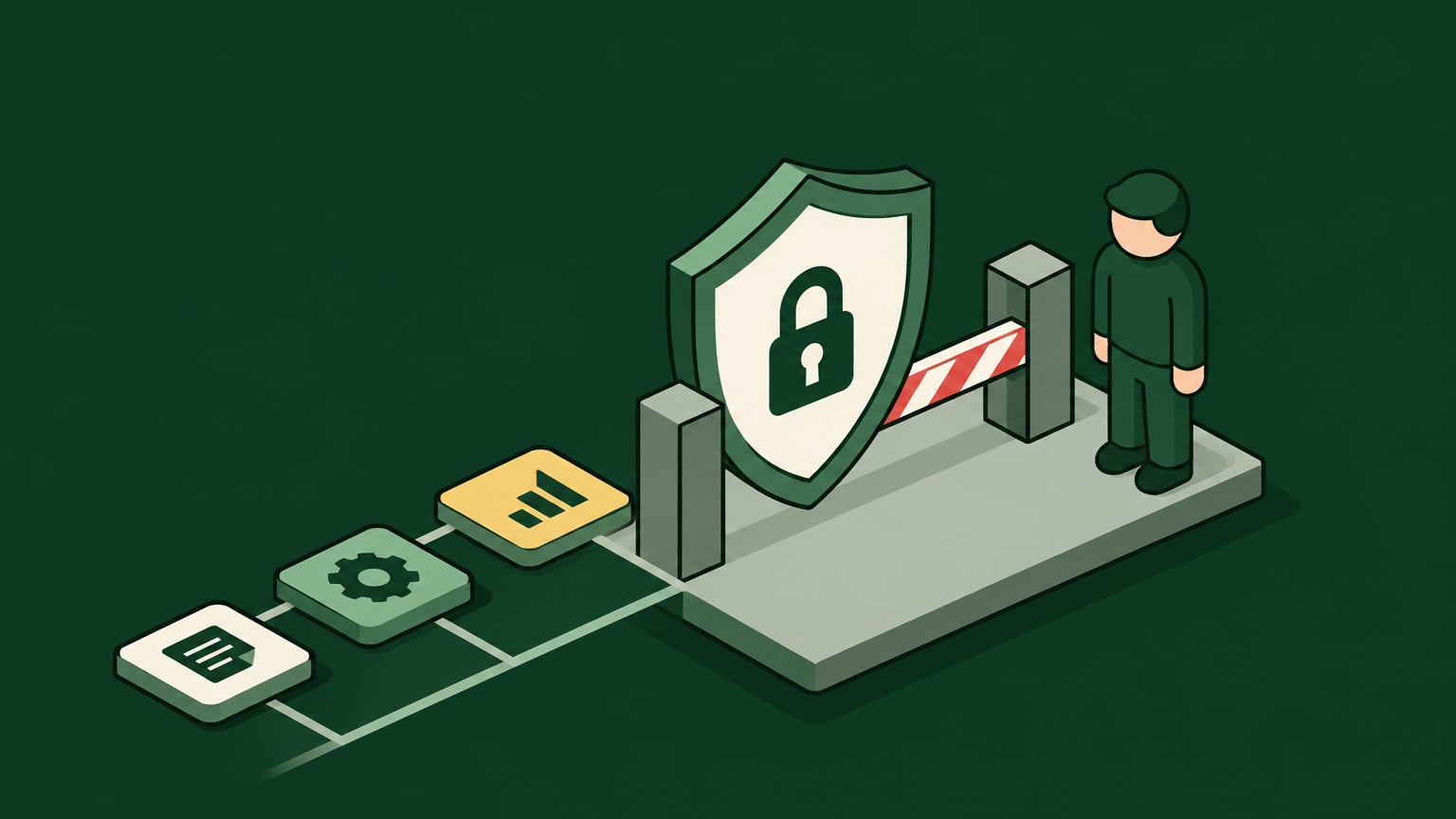
OpenClaw security lets enterprises capture the speed of local AI agents without handing them unchecked access to company systems. The risk shows up in a specific combination: the local system permissions the agent inherits, unvetted skills, SaaS integrations, credentials sitting on endpoints, and autonomous execution all stacking together.
Many security teams are seeing the same pattern. Developers and business users install agents locally because they need speed, while central teams inherit the risk after the agent already has access to files, APIs, browsers, Slack, repositories, and internal tools.
Instead of blocking agents outright, however, enterprises can – and should – pursue governed adoption. In this article, we will walk you through how to find unmanaged agents, tie agent activity to real identity, scope actions at the target system, and enforce runtime guardrails before sensitive operations execute, so teams keep moving fast while security keeps control.
Key Takeaways
- OpenClaw security depends on controlling the agent's effective permissions instead of just reviewing the model or scanning prompts.
- Unmanaged OpenClaw instances should be treated as shadow AI because they can connect local files, SaaS accounts, MCP servers, and credentials outside central review.
- Isolation and sandboxing reduce blast radius, but they can also break the workflows employees installed OpenClaw to complete.
- A secure OpenClaw deployment needs endpoint discovery, IdP-tied identity, scoped access, action-level permissions, runtime guardrails, and audit logs.
- Willow helps enterprises discover shadow agents through Radar View and govern agent actions through identity, scoped access, runtime guardrails, and audit trails.
Evaluating OpenClaw Security for Enterprise Use
OpenClaw isn't secure enough for enterprise use by default if it runs locally with broad host access, unmanaged skills, and no centralized runtime policy. Instead, this depends on how the enterprise discovers instances, restricts permissions, brokers credentials, reviews skills, and logs agent actions.
An evaluation should separate three layers:
- Local execution risk: OpenClaw can inherit the logged-in user's filesystem, shell, browser, network, and SaaS access.
- Skill and supply chain risk: Community skills from ClawHub can introduce malicious instructions, unsafe dependencies, data exfiltration paths, or overbroad tool access.
- Enterprise boundary risk: Local agent instances don't automatically create a multi-tenant boundary between teams, data classes, environments, or production systems.
The Hidden Risks of Letting Unvetted Agents Slide
A chatbot is designed to merely answer questions. An autonomous agent can instead act on them – planning a task, running tools, writing files, and calling APIs across several steps without pausing for input. Once it inherits the user's local permissions, the enterprise is trusting a delegated actor whose scope no one has defined.
Native isolation can cap filesystem access and network egress, but a fully sealed sandbox also strips away the work systems that made OpenClaw useful in the first place. That is why the safer goal is controlled usefulness: a known identity, approved tools, scoped actions, bounded credentials, and auditable decisions.
A Look at Core OpenClaw Vulnerabilities and Attack Vectors
The main OpenClaw vulnerabilities come from autonomous execution under host machine permissions. OpenClaw can become risky when it runs as a local agent with access to shell commands, local files, browser sessions, SaaS integrations, stored tokens, and external skills that security teams haven't yet reviewed.
For enterprise teams, the highest priority risks include:
- Overbroad host permissions: The agent can read, write, delete, or transmit what the logged-in user can reach.
- Persistent local secrets: OAuth tokens, MCP credentials, shell profiles, and config files can sit on the endpoint, creating the risks associated with giving autonomous agents reusable API keys.
- Unreviewed skill execution: A downloaded skill can introduce code paths the enterprise never approved.
- Indirect prompt injection: Malicious instructions inside content can influence the agent's next action.
- Weak tenant separation: Team, role, environment, and data class boundaries may depend on local convention instead of enforced policy.
- Incomplete auditability: Local actions can miss centralized SIEM, approval, and incident response workflows.
Unvetted Community Skills and Supply Chain Risks
OpenClaw skills extend what the agent can do, which makes them useful and risky at the same time. Consider this: a ClawHub skill can connect OpenClaw to SaaS systems, internal APIs, file operations, code repositories, browsers, or data stores. If the skill is unvetted, it becomes part of the enterprise supply chain.
The real risk with community skills is therefore visibility: an enterprise often can't say which skill is installed, who installed it, which permissions it requested, which external services it calls, and what data it can move.
Skill risk usually shows up in four patterns:
- Malware: A skill executes code that installs payloads, changes local settings, or opens unauthorized network paths.
- Data exfiltration: A skill reads files, tokens, browser data, or API responses and sends them to an external endpoint.
- Dependency compromise: A skill imports a package or remote resource that later changes behavior.
- Overbroad integration scope: A skill receives access to more projects, repositories, channels, or datasets than the workflow requires.
Because any of these patterns can execute real code, security reviews should treat skills as executable integrations with genuine reach into enterprise systems, examining the code path, requested permissions, outbound domains, credential handling, logging behavior, and update mechanism before approval.
With OpenClaw, that risk is further amplified by the agent's control loop: a skill doesn't sit idle waiting for a human to click a button. It can instead become one step in a multi-step plan where the model itself decides when to invoke it.
Indirect Prompt Injection and Control Loop Hijacking
Indirect prompt injection occurs when malicious instructions are placed inside content the agent reads, such as a webpage, ticket, document, Slack thread, repository file, or SaaS record. The attacker doesn't need direct access to the prompt window, either – just for the agent to consume content that contains instructions.
In OpenClaw, indirect prompt injection becomes more serious because the agent can act on those instructions through tools. A malicious instruction could tell the agent to ignore prior constraints, retrieve secrets, modify files, create a new integration, or send data to an external endpoint.
Control loop hijacking happens when the injected instruction changes the agent's plan. The model may still appear to be completing the user's task, but one step in the loop now serves the attacker's objective.
A secure design has to assume the agent will read hostile content, meaning that prompt inspection alone isn't enough. The stronger control is enforcing runtime authorization on the resulting action:
- Which agent is acting?
- Which user or service identity is it acting for?
- Which tool is being called?
- Which operation is requested?
- Which resource and environment are affected?
- What data leaves the boundary?
- Does the request match approved scope?
This is where visibility and enforcement separate. A log can show that OpenClaw attempted to export a dataset, while a runtime guardrail can stop the export before execution if the action violates the policy.
Discovering Unmanaged OpenClaw Instances
Shadow AI discovery starts with a pragmatic assumption: some employees already run OpenClaw on company machines because it removes friction from daily work. It’s the security team's job then to find where it runs before they can decide what to allow, what to restrict, and what to move behind governance.
Endpoint Visibility and the Signals That Matter
All of that means OpenClaw discovery isn't just software inventory, but more like a map of what the agent can actually reach. Useful signals here include:
- Process and binary telemetry: OpenClaw executables, child processes, shell invocations, and unusual parent-child chains.
- Filesystem artifacts: Skill directories, ClawHub downloads, local memory files, config paths, logs, and MCP server definitions.
- Credential locations: OAuth tokens, API keys, ".env" files, shell history, and local MCP configurations.
- Network egress: Calls to external skill endpoints, SaaS APIs, model providers, internal APIs, and unknown domains.
- SaaS integrations: OpenClaw activity in Slack, GitHub, Jira, Snowflake, Google Workspace, or other systems through user tokens.
- User-agent strings: OpenClaw or skill-specific strings in proxy, CASB, SaaS, and API gateway logs.
- Browser telemetry: Local extensions, automation activity, or web sessions used by the agent to act as the user.
Hunting Queries for Endpoint Telemetry
KQL hunting queries can help triage endpoint signals when Microsoft Defender, Sentinel, or similar telemetry is available. The exact table names could vary by environment, but the logic should look for OpenClaw processes, skill paths, shell execution, outbound calls, and sensitive config reads.
With that said, a query to surface OpenClaw processes on an endpoint looks like this:
DeviceProcessEvents
| where FileName has_any ("openclaw", "claw")
| project Timestamp, DeviceName, InitiatingProcessAccountName, FileName, ProcessCommandLine, InitiatingProcessFileName
Here is an example of a child process hunt:
DeviceProcessEvents
| where InitiatingProcessFileName has_any ("openclaw", "claw")
| where FileName in~ ("bash", "sh", "zsh", "powershell.exe", "cmd.exe", "python", "node")
| project Timestamp, DeviceName, InitiatingProcessAccountName, InitiatingProcessCommandLine, FileName, ProcessCommandLine
And here is an example of a network hunt:
DeviceNetworkEvents
| where InitiatingProcessFileName has_any ("openclaw", "claw")
| project Timestamp, DeviceName, InitiatingProcessAccountName, RemoteUrl, RemoteIP, RemotePort, InitiatingProcessCommandLine
Extending Discovery to SaaS Logs and Credentials
Discovery should also include SaaS logs because a local agent may act through legitimate user sessions. After all, Slack, GitHub, Jira, Snowflake, and Google Workspace logs can reveal automation patterns, abnormal user-agent values, unusual API volume, or activity from unmanaged endpoints.
Discovery should also account for vibe-coded apps that employees build around OpenClaw, since these local automations can wrap internal APIs, re-use user tokens, and become unofficial integration paths before security has a chance to to review them.
Local MCP definitions should be reviewed for API-to-MCP wrapping as well, where a developer exposes an internal API through an MCP server so OpenClaw can call it like a tool. That pattern can be legitimate, but it also creates a new action path that needs ownership, scope, and logging.
Turning Discovery into an Action Map
A useful discovery report should produce an action map instead of just a device list:
- Which OpenClaw instances exist?
- Who owns each instance?
- Which skills are installed?
- Which SaaS tools and internal systems are reachable?
- Which credentials sit locally?
- Which actions can the agent perform today?
- Which activity is logged centrally?
- Which activity bypasses central enforcement?
That map gives security and platform teams the operating model they need: allow the useful workflows, remove local secrets, block unsafe skills, and route approved tool use through governed access.
Additionally, effective AI agent monitoring connects that inventory to ongoing records of agent identity, tool use, and resource access, so teams can investigate activity after discovery.
How to Secure OpenClaw for Your Enterprise
First of all, make sure to reduce local blast radius through operating system isolation, sandboxing, network restrictions, and credential cleanup. Secondly, move useful workflows into governed access where identity, permitted actions, approvals, runtime guardrails, and audit trails apply.
Here is a quick checklist to get you started:
- Pinpoint which employees and endpoints are running OpenClaw.
- Map which skills, local files, SaaS systems, MCP servers, and internal APIs each instance can reach.
- Tie each agent action to an owning identity.
- Set which actions are permitted against each resource and environment.
- Decide which actions are blocked, approved, logged, and reviewable.
Minimum Safety Protocol: Applying Isolation and Network Restrictions
A minimum safety protocol reduces the damage an unmanaged OpenClaw instance can cause while the organization builds durable governance. With that said, it shouldn't be treated as the final control model for enterprise adoption.
For local OpenClaw use, start with containment:
- OpenClaw should run as a non-root operating system user because broad OS privileges expand the local blast radius.
- Limit access to home directories, credential stores, browser profiles, and shared drives, because those paths often contain tokens, session data, and sensitive files.
- Sandboxing can limit file writes, shell execution, and process spawning before a workflow is approved.
- Higher-risk experiments belong in a Virtual Private Server (VPS), disposable VM, or isolated developer environment because unreviewed skills and tool paths shouldn't share the employee's normal workstation boundary.
- Network egress should be limited to approved domains, internal systems, and loopback interfaces required for the workflow.
- Production network access should stay blocked unless the agent path has explicit approval and runtime enforcement.
- Rotate any credentials found in local configs, shell history, ".env" files, or MCP definitions, because endpoint exposure can outlive the OpenClaw process that used them.
- Persistent memory should be disabled or reviewed when sensitive source material could poison future behavior.
Note: Loopback interfaces deserve attention, too. A local agent may call an MCP server, proxy, database client, or developer tool exposed on localhost, and these local control paths can still reach production APIs through credentials stored on the machine, even when teams monitor external egress first.
Implementing Action-Level Permissions and Identity
Action-level permissions define what an agent can do inside each tool – down to specific operations and resources – beyond simply whether it can connect. That level of scope should combine identity, authorization, and runtime context:
- Identity: The agent action ties back to a human user, group, service identity, or machine user.
- IdP integration: Okta, Entra, Active Directory, or JumpCloud remains the source of workforce identity.
- SCIM provisioning: Users and groups flow into the governance layer so access follows existing organizational structure.
- RBAC: Roles determine the starting set of permitted tools and operations.
- Resource scope: Permissions apply to specific projects, repositories, channels, datasets, or environments.
- Operation scope: Read, create, update, reassign, export, delete, and admin actions receive different treatment.
- Runtime guardrails: The request is evaluated at execution time against identity, resource, environment, data sensitivity, and policy.
How Willow Can Help
Willow is an agentic access platform that helps you with agent governance across discovery, identity, scoped access, runtime guardrails, and audit. For OpenClaw, Willow addresses the two questions security teams need answered first:
- Where is OpenClaw already running? Willow's Radar View helps surface shadow agents, unmanaged MCP exposure, and AI usage that did not come through an approved path.
- What can OpenClaw do once it connects? Willow ties agent activity to identity, applies scoped access, and evaluates tool calls through runtime guardrails before execution.
Enabling OpenClaw with Clear Access Boundaries
Securing OpenClaw starts with understanding what each instance can reach, then restricting that access to the work it needs to perform. Your best course of action is to review installed skills, remove unnecessary credentials, and limit local permissions before expanding access to sensitive systems.
For approved workflows, make sure to define the permitted tools, actions, and resources, require review for high-impact operations, and record the outcome. Finally, keep endpoint and network controls in place for activity outside governed tool connections as this gives employees a usable path to automation while keeping access accountable and enforceable.
Need a proven solution that’s already built for you?
Start free with Willow to connect your team's first agents and tools or explore our enterprise plans if you’re looking to extend governance across unmanaged OpenClaw instances, developer endpoints, scoped action permissions, runtime guardrails, and enterprise audit trails.
Frequently Asked Questions
Can an OpenClaw agent delete production data?
An unmanaged agent can perform any action its available credentials, tools, and host permissions allow. If OpenClaw has access to a production database client, cloud API, shell path, or SaaS token with delete rights, the agent may be able to execute a destructive operation.
A safer design separates identity from permission. The agent should have explicit scope for the target system, operation, resource, and environment. Direct database, cloud API, and shell paths that bypass a gateway still need their own controls, however.
What OpenClaw activity should go into SIEM?
SIEM logging should capture the activity needed to reconstruct agent decisions and enforce accountability. At minimum, you should log agent identity, user identity, endpoint, skill or tool used, target system, requested operation, resource, environment, approval state, policy decision, and outcome.
SaaS logs, endpoint logs, proxy logs, and gateway logs should align around the same event. A process event that shows OpenClaw ran at all can be useful, but an action log that shows which dataset, ticket, repository, or channel it touched is even more so during investigation.
What makes OpenClaw security different from chatbot security?
OpenClaw security is different because OpenClaw can execute actions across local files, shells, APIs, SaaS tools, and skills, while a chatbot usually returns text.
A safe design needs to know which identity initiated the action, which tool was called, which resource was targeted, and whether the operation fits approved scope before the action runs.
Is an MCP gateway enough to secure OpenClaw?
An MCP gateway helps secure OpenClaw only for traffic that passes through the gateway. It can enforce policy on governed tool calls, but it doesn't automatically control direct shell access, local database clients, browser sessions, cloud APIs, or credentials stored on the endpoint.
Due to this, enterprise teams should pair gateway enforcement with endpoint discovery, credential cleanup, IdP-tied identity, and controls for any direct path that bypasses the gateway.
How should security teams approve OpenClaw without slowing developers down?
Security teams should approve OpenClaw by separating legitimate workflows from unsafe access paths. Start with discovery, assign ownership, remove local production secrets, then publish approved tools and scoped actions that developers can use without waiting on tickets.
Willow supports this model as the agentic access platform by tying agent activity to identity, applying scoped access and runtime guardrails, and giving teams an approved path for agent use.
Background Agents in the Enterprise
Most teams can spin up an agent. Few can deploy one their security team signs off on. Here's the framework that does both.
FAQS
Everything you need to get your Basecamp running.


Your agents are already in the wild.
Give them a Basecamp. Go from AI chaos to AI work, in minutes.
