


What Is an MCP Gateway? An Enterprise Guide

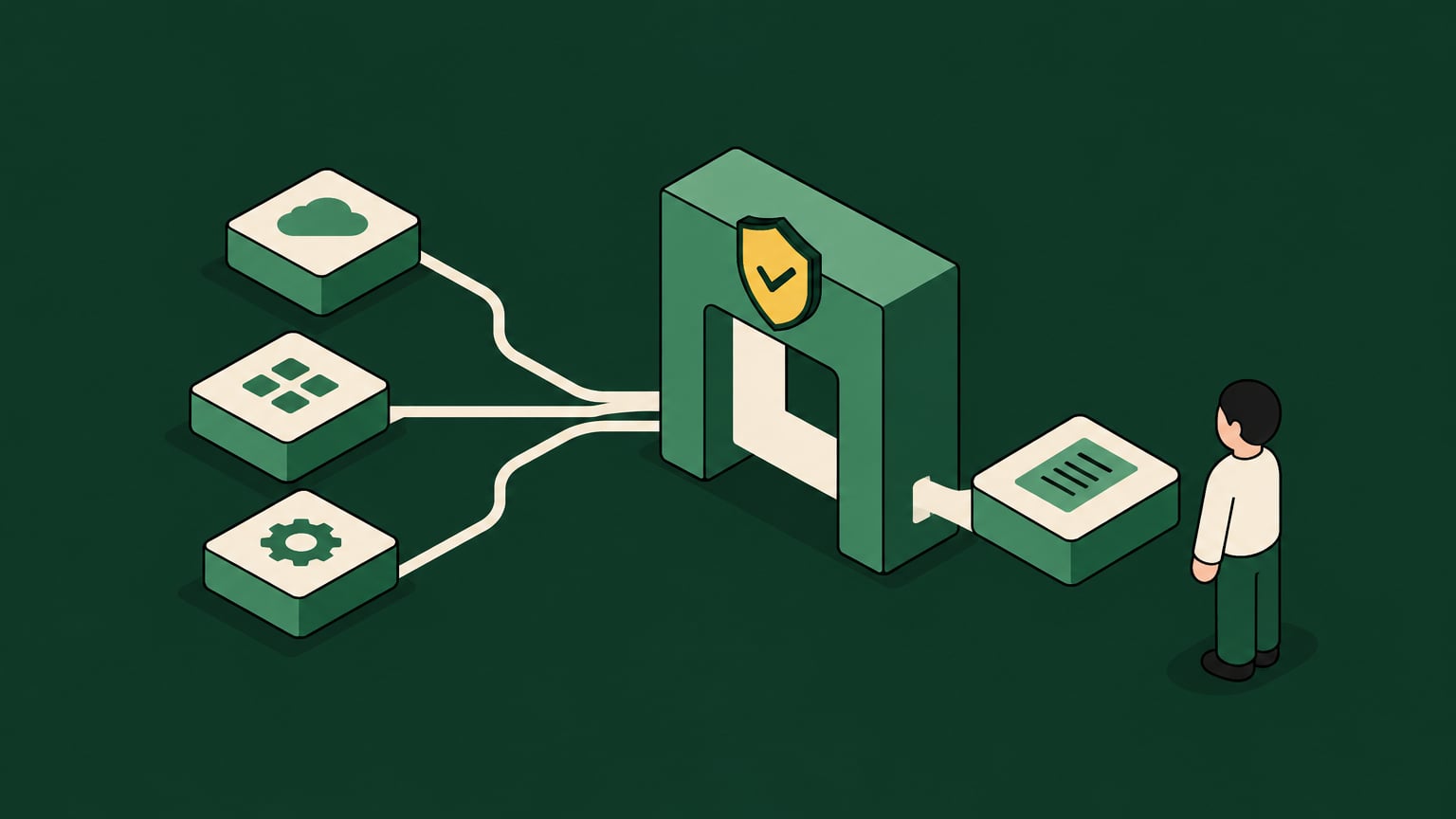
For CIOs, CISOs, and platform engineering leaders, MCP adoption often starts with a deceptively simple request: connect an AI agent or coding assistant to the systems employees already use. Luckily, an MCP gateway can provide a shared control point for that access, bringing identity, permissions, policy enforcement, and audit into the agent-to-tool connection.
And so, while an MCP (short for Model Context Protocol) is the standard for connecting AI applications to tools and data, an enterprise MCP gateway can help you govern which tools an agent can discover, whose identity it acts under, which operations it can perform, and what evidence is recorded afterward.
This means that, instead of having humans incessantly clicking through applications, you have agents that can autonomously request tool access, pass context, and execute actions through structured calls, all while being fully observable and following your placed guardrails.
Key Takeaways
- An MCP gateway is the control layer between AI agents and MCP servers, giving enterprises one place to enforce identity, access, policy, and audit.
- The MCP standardizes how agents discover and call tools, but the gateway ultimately decides how those calls are governed in an enterprise environment.
- MCP gateways differ from traditional API gateways because they manage tool discovery, JSON-RPC calls, agent context, and action-level permissions.
- Shadow AI and point-to-point integrations become harder to govern as adoption spreads, so centralized routing and policy enforcement are now operational requirements.
- You should always evaluate MCP gateways against enterprise requirements like IdP extension, runtime guardrails, shadow AI discovery, and production rollout readiness.
So, What Is an MCP Gateway?
An MCP gateway is a centralized routing and governance layer that sits between AI agents and MCP servers. It acts like a reverse proxy for MCP traffic, but with AI-specific controls for tool discovery, identity propagation, permission checks, observability, and runtime policy enforcement.
For readers looking for MCP gateways explained in enterprise terms, the simplest model is this: the MCP server exposes tools, while the MCP gateway governs which agents can discover, call, and act through those tools.
An MCP gateway serves to answer four questions before an agent takes action:
- Which agent is making the request?
- Which user, group, or machine identity is it acting for?
- Which tools and actions can it access?
- What happened, and can the enterprise prove it later?
And then there’s the gateway part of the equation that sits between two sides of the MCP architecture. On one side are AI agents, coding assistants, copilots, workflow builders, and internal agent frameworks. On the other side are MCP servers that expose systems such as GitHub, Slack, Jira, Salesforce, data warehouses, HR systems, internal APIs, and custom business applications.
A Quick Note on Basic and Enterprise MCPs
A basic MCP gateway may provide centralized routing, so agents don't connect directly to every MCP server. An enterprise MCP gateway can go even further, connecting routing to identity, tool-level scope, action-level authorization, prompt and output controls, telemetry, and audit evidence.
MCP Gateway vs. MCP Server – What’s the Difference?
The MCP server is used to expose tools and resources to agents, receives JSON-RPC requests, and performs actions against a connected system. For example, a Jira MCP server might expose tools to search tickets, create issues, or update sprint metadata.
The MCP gateway sits in front of the MCP server and decides what should be allowed before anything could happen. Policy evaluation can include the agent, the requesting identity, the target tool, the requested action, and the context around the request.
A practical model looks something like in the table below.
| Layer | Primary Role | Enterprise Concern |
|---|---|---|
| AI agent | Plans and requests tool use. | Agent identity, user delegation, prompt context. |
| MCP gateway | Routes, authenticates, authorizes, observes, and enforces policy. | Control plane, least privilege, audit, runtime guardrails. |
| MCP server | Exposes tools and executes requests. | Execution plane, system-specific actions, tool behavior. |
| Enterprise system | System of record or action target. | Data access, change control, operational impact. |
MCP uses JSON-RPC as its message format, which means agents send structured method calls rather than ordinary human interface clicks. During the tools/list handshake, an agent asks what tools are available from a server. Without a gateway, that discovery step may expose more capability than a user or team should see.
A gateway changes the handshake from simple visibility to governed visibility. Instead of an agent simply receiving every available tool, it only gets the ones that are allowed for that identity, team, environment, or policy context.
Key MCP Capabilities and Routing Functions
Centralized routing is the foundation of an enterprise MCP gateway. Its broader value comes from applying identity, permissions, and runtime controls to tool calls. Core enterprise capabilities include:
- Centralized routing: Agents connect to the gateway rather than maintaining point-to-point connections with every MCP server.
- Identity provider integration: The gateway ties requests to an identity provider (IdP), such as Okta, Entra, Active Directory, or JumpCloud.
- Tool discovery governance: The gateway filters tools/list responses so agents see only approved tools.
- Action-level access control: Policy can allow read actions while blocking write, delete, export, or admin actions.
- Observability and telemetry: Teams can see which agent called which tool, on behalf of which identity, and with what result.
- API-to-MCP conversion: Existing internal APIs can be exposed as MCP tools, reducing the need for each team to develop its own integration approach.
- Runtime guardrails: The gateway can inspect prompts, tool arguments, outputs, and policy context before allowing execution.
An MCP can also connect agents to a wide range of systems because MCP servers abstract the tool interface. Common examples include ticketing systems, messaging platforms, CRM systems, file stores, developer platforms, data tools, internal APIs, and SaaS applications.
A direct agent to MCP server connection can be fast for a proof of concept, but it can also lead to fragmented identity handling, inconsistent policy enforcement, and scattered logs. A gateway brings those concerns into one plane, so platform teams can standardize access without forcing every business unit into a slow ticket queue.
Last, but not least, a governed tool discovery can reduce token waste by exposing only relevant, permitted tools. This limits unnecessary tool metadata during planning and can improve reliability as the tool catalog grows.
Comparing MCP Gateways to Traditional API Gateways
Traditional API gateways and MCP gateways both sit between clients and back-end systems, but they solve different problems.
A traditional API gateway governs API traffic between humans, applications, services, and microservices. It focuses on HTTP routing, authentication, rate limiting, request transformation, and service protection. While useful, these controls were not designed around autonomous tool discovery, agent planning, or JSON-RPC tool execution.
In contrast, an MCP gateway governs agent-to-tool traffic. It understands MCP-specific flows such as the tools/list handshake, tool calls, context transfer, and structured responses. That gives it a better control point for autonomous AI agents that decide which tool to call and what arguments to pass.
| Dimension | Traditional API gateway | MCP gateway |
|---|---|---|
| Primary client | Humans, applications, microservices. | AI agents, copilots, coding assistants, workflow agents. |
| Common protocol model | HTTP, REST, GraphQL, gRPC. | MCP over JSON-RPC and tool handshakes. |
| Main control unit | Endpoint, route, service, API key. | Tool, action, agent, user context, machine user. |
| Discovery model | API catalogs, OpenAPI specs, static docs. | Dynamic tools/list discovery filtered by policy. |
| Access model | App or service authentication, scopes, rate limits. | IdP-backed identity, delegated context, action-level permissions. |
| Governance focus | Protect services and manage traffic. | Govern agent execution before tools touch enterprise systems. |
| Observability | Requests, latency, error rates, service metrics. | Which agent took which action, for which identity, against which tool. |
| Scaling problem solved | Service traffic management. | Agent to tool sprawl and point-to-point integrations. |
| Security controls | Auth, rate limiting, WAF patterns, request validation. | Runtime guardrails, prompt and argument inspection, PII controls, tool policy. |
| Enterprise question answered | Can this client call this API? | Should this agent take this specific action right now? |
The differences become obvious when an agent asks for capability rather than calling a fixed endpoint. With MCP, the agent can discover tools first, then choose an action.
Point-to-point integrations also behave differently in the MCP world. Traditional API gateway patterns can still protect fixed routes, but they don't solve the agent-to-tool relationship sprawl that appears when every new agent can connect to every new MCP server.
An MCP gateway reduces that sprawl by making the gateway the shared control point. Agents connect to the gateway, tools connect behind it, and policy lives in one place. That model gives platform teams a cleaner path from experimentation to production rollout without forcing every integration through a custom approval process.
Essential Requirements for an Enterprise MCP Gateway
A basic MCP gateway can be useful when the main need is routing. It can centralize connections, simplify discovery, and reduce direct agent-to-server wiring.
For enterprises though, that simply doesn’t cut it as the gateway has to govern action in addition to routing traffic. Its to-do list also includes extending the existing identity layer, discovering shadow AI patterns, enforcing runtime guardrails, and producing audit evidence that stands up in a production review.
When evaluating enterprise MCP gateway capabilities, it also helps to assess how each approach handles identity, action-level permissions, runtime controls, and audit. For your convenience, we’ve included the comparison in the table below.
| Capability | Basic routing gateways | In-house builds |
|---|---|---|
| MCP routing | Centralizes agent to server traffic. | Possible, but every team must maintain patterns. |
| IdP extension | May support basic authentication. | Requires custom SSO, SCIM, and group mapping work. |
| Action-level permissions | Often limited to server or tool access. | Possible, but expensive to design and maintain. |
| Runtime guardrails | Basic filtering or limited policy checks. | Requires custom prompt, argument, and output controls. |
| Shadow AI discovery | Often outside the gateway scope. | Requires separate discovery and inventory work. |
| Audit trail | Request logs or gateway logs. | Fragmented unless teams standardize every integration. |
| Production rollout | Good for controlled routing projects. | Can take 6 to 12 engineer-months. |
| Build vs. buy fit | Useful for limited routing needs. | Best when MCP is not business critical yet and engineering capacity is available. |
How Willow Helps You Meet Enterprise MCP Gateway Specs
An enterprise MCP gateway needs to do more than centralize traffic, connecting tool access to enterprise identity, enforcing least privilege at the action level, applying runtime controls, and leaving behind an audit trail that explains what happened.
Willow’s AI control plane brings these capabilities together around an enterprise-grade MCP gateway. It connects existing identity systems such as Okta, Entra, Active Directory, and JumpCloud, centralizes approved MCPs and tools, and applies action-level permissions for users and agents.
It also extends governance into runtime execution, meaning that organizations can now easily detect shadow AI and unsanctioned MCP activity, apply guardrails such as response redaction before sensitive information reaches a client, and create audit trails tied back to human identity.
The Willow Effect at Work
At Wix, Willow currently supports approximately 5,000 weekly active users and governs approximately 600 tools and MCPs across HR, legal, finance, design, and R&D. This helps Wix run a fully governed self-service model: teams access approved tools within defined permissions, while IT and security maintain centralized policy, visibility, and audit.
MCP Gateways as the Control Plane for Enterprise AI
MCP makes it easier for AI agents to discover and use enterprise tools. But as adoption spreads, connectivity quickly stops being the hardest problem. The more pressing concerns become who or what is acting, which capabilities should be visible, which actions should be permitted, and how the organization can prove what happened afterward. This is where an MCP gateway can make all the difference.
A basic gateway can simplify routing and reduce point-to-point integrations. An enterprise MCP gateway goes further by combining centralized access with identity, tool discovery governance, action-level authorization, runtime guardrails, observability, and auditability. In other words, it turns MCP from a connectivity solution into secure infrastructure that enterprises can operate as they see fit.
At Willow, we combine approved MCP access controls, enterprise identity, action-level permissions, runtime guardrails, shadow AI visibility, and human-linked audit trails all in one place for a smooth MCP gateway experience. Start free with Willow to explore governed MCP access, and review enterprise plans for identity integration, action-level permissions, and runtime guardrails.
Frequently Asked Questions
What is the difference between an MCP gateway and an API gateway?
An API gateway manages access and traffic to backend APIs. An MCP gateway adds support for MCP-specific interactions, including tool discovery and tool calls, and can apply permissions based on the agent, user, operation, and data involved.
Do I need an MCP gateway for my enterprise?
A direct connection to an MCP server may be enough for a local experiment or a narrowly scoped workflow. However, a gateway can come in handy when multiple users or agents need shared tools, consistent permissions, centralized policy enforcement, and audit records.
What is an MCP used for?
MCP connects AI applications to tools, resources, and contextual data through a standardized interface. Common uses include searching enterprise documents, retrieving CRM records, querying databases, and working with developer tools.
Is MCP a router?
No, MCP is not a router. The Model Context Protocol is a standard for connecting AI applications to tools, resources, and context. In essence, it defines how agents and MCP servers communicate, including discovery and tool calls.
Can standard DLP and IAM handle AI agents?
Standard DLP and IAM are necessary, but they are not sufficient for AI agents. The right architecture extends existing IAM and DLP investments, with an enterprise MCP gateway sitting on top of the identity stack and applying AI-specific governance where agents connect to tools.
Background Agents in the Enterprise
Most teams can spin up an agent. Few can deploy one their security team signs off on. Here's the framework that does both.
FAQS
Everything you need to get your Basecamp running.



Your agents are already in the wild.
Give them a Basecamp. Go from AI chaos to AI work, in minutes.
